
The payment dashboard gives your firm full visibility and control over all signed case transactions and match-fee payments.
- Centralized Billing - All attorney expenses are charged to a single firm payment method for simplified accounting and budget tracking
- Unified Receipt Access - All transaction receipts and payment history are stored in one dashboard, making reporting and audits simple.
- Firm-Level Payments - Firms can use a single card for all match-fee payments across attorney accounts.
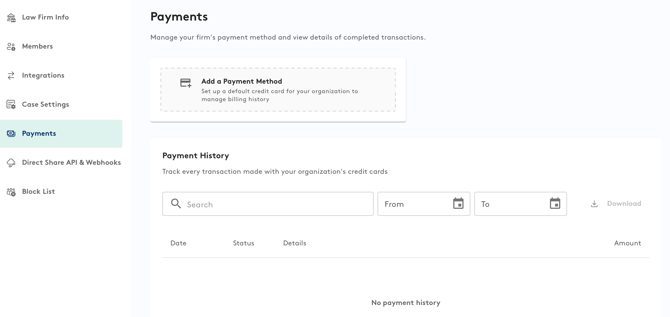
Accessing Your Payment Information:
-
Click the profile icon on the top right corner
-
Go to Firm Setting > Payments.
-
From this page you can:
-
View or update payment methods.
-
Review payment history for all signed cases.
-
Add or view any promo deals linked to your account.
Both Attorneys and Case Managers have full access to the Payment Tab and can manage payment details as needed.
For firm accounts, the payment feature enables the use of one shared card for all match-fee payments and other case-type transactions.
If you have questions, please reach out to support@attorneyshare.com