
Congrats, you've matched with a case on Attorney Share! Here is a brief overview on what happens after your proposal is accepted.
Two different actions are triggered:
- The client and referring user contact info will be shared with you in your 'My Cases' tab under 'My Tasks'
- A timed vetting window kicks in. You have a set number of days (14 for most practice areas, 45 for Med Mal, Class Action, and Lemon Law cases) to get in touch with the client and decide whether or not you will sign them.
- If you select "Client Signed", the $299 or $49 match fee payment will be charged. Case now can be seen in 'Signed" tab.
- If you select 'Not Signed', the case is removed from your view.
- If you do not select either option, and vetting period expires, you will be auto-charged.
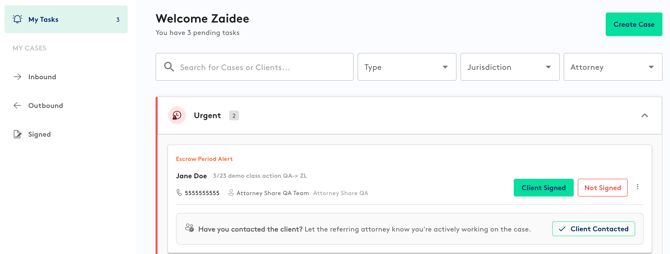
We understand that after contacting the client, you may be unable to move forward with the case. If the match is unsuccessful, navigate to the case in the 'My Tasks' Action section of your 'My Cases' tab. Selecting 'Not signed' will ensure that no match fee is charged.
Reminder, if you do not indicate whether or not you signed the client by the end of the vetting period, you will be charged the match fee and the case will remain in your 'My Tasks' section.
If you need any assistance, please reach out to support@attorneyshare.com